Hello, when importing a cad file that may have the grading plan or other as a cad block in the drawing, TBC loses some of the block entities (Text spots etc).
I have AutoCAD but would like to not have to explode the blocks before importing to TBC.
If you just talking about exploding blocks in TBC, yes we have a command for that. That would be the first step in the CAD Cleanup command. That command gives you the ability to explode all blocks in the project with 1 click. Once the process is complete, you get a report at the bottom of the command that tells you number of objects, blocks exploded, as well as iterations needed to complete.
so, some of the blocks don’t come into TBC? IF that is the case, it is that TBC does not have that block in your project library. The only way to keep import those missing block is to import an explode block and then create a block in TBC of the explode block. I myself have not done this. there is a way to get the CAD library imported into TBC just not sure how.
@Thomas_Mauriello are you referring to basic CAD block object types, or proprietary AutoCAD objects such as point labels and “smart” contour and surface labels? I’ve never seen a block fail to important into TBC as you seem to be describing. It should import its block definition with it, so that shouldn’t be a problem.
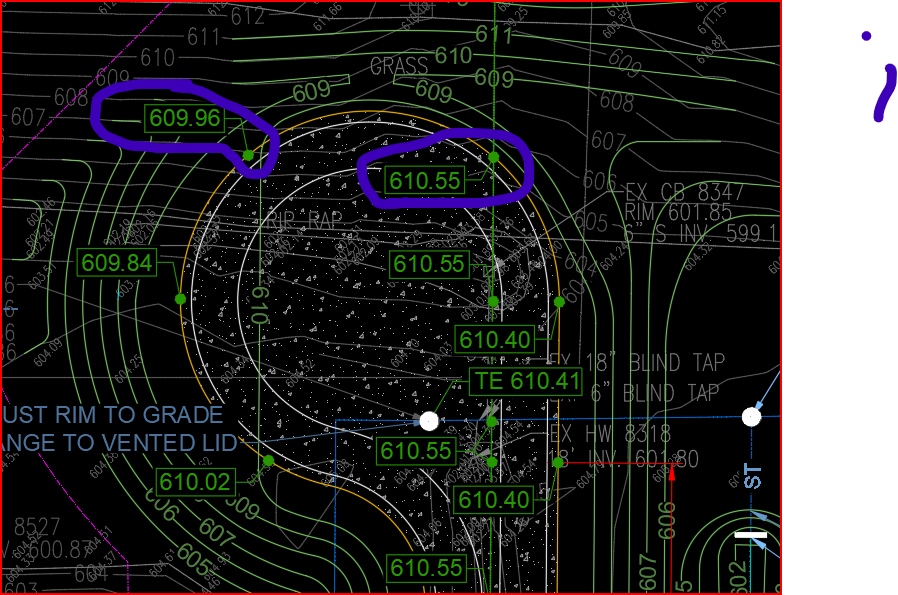
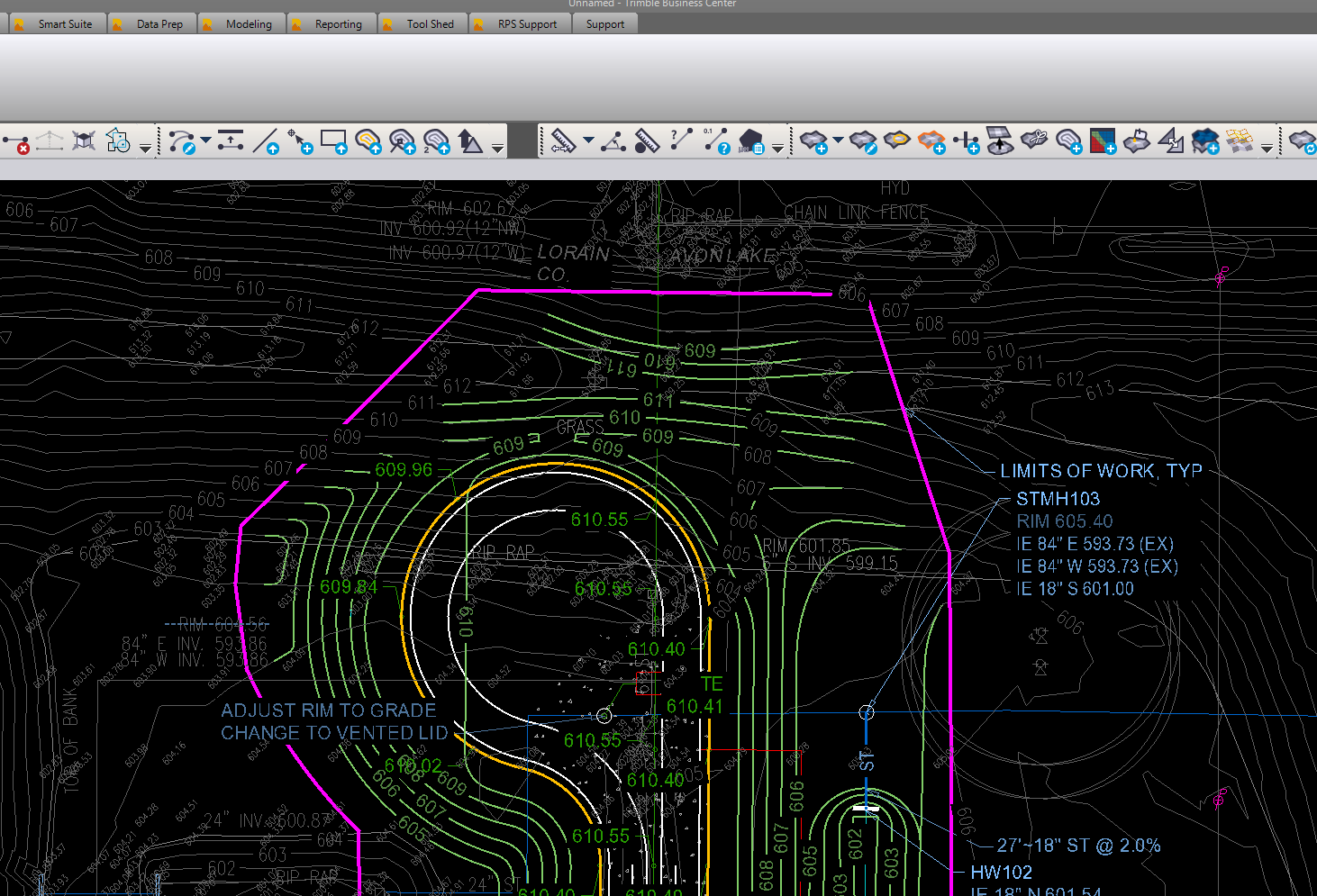
I have a cad file from the Civil designer. In the cad file there is a block with all the grading plan entities. In the AutoCAD drawing, the grading block has grade text call outs that are visible before and after expolding. When the drawing is imported into TBC the grade text call outs are no longer present. I usually open in autocad first and inspect so i know if the data was not sent or just not treated properly by TBC. See snap below. All of the colored object are part of the block the circled grade text is missing when imported to TBC.
It looks like the dwg is probably “Exported to AutoCAD” from C3D, turning the spot labels into multileaders. If you pay attention to the error report when imported into TBC, TBC doesn’t like something about the multileaders and the grips. Do you remember this Trimble community post from 2019 (link below)? I’m thinking perhaps this is a very similar issue that is a TBC problem. I would report it to your TBC dealer so they can create a ticket and at least make sure the TBC developers know the problem exists.
Almost without exception, I open every dwg in C3D and clean it up before importing into TBC. It’s difficult to measure the return on investment, but it certainly makes issues like this one less significant.
I honestly think the return on investment is huge when you don’t have to wait for the engineer to run a simple command or kick it out some other way. Time is $$$
I do the same cleanup in Cad also. Carlson has an “Import C3D” command that works pretty well. Training a new model builder and trying to reduce the steps.
You dont realize how many things you do for data prep until you start to train someone else.