Hola
I have some feedback on how this command functions in my projects.
When I replace/add pages to the PDF - typically amendments from the design engineer - there is no way to reload the PDF file in use. Even when I browse for a different file, then go back to the original named file, it appears the command just loads what it had in RAM already and disregards the timestamp that shows it has been modified. This is true of other notes/annotations I may add that I might want to show up in TBC when I georeference that specific image. A simple refresh button would be nice.
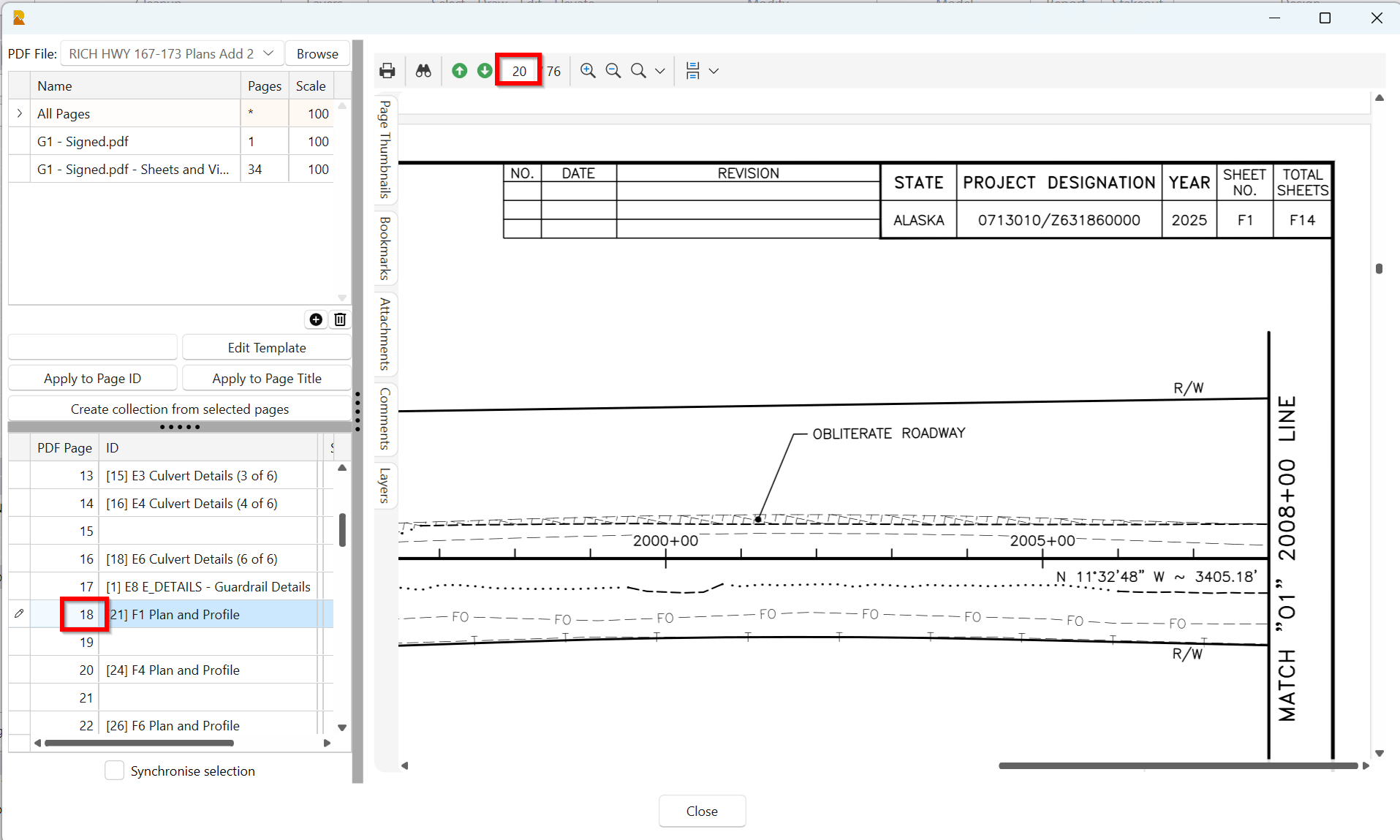
Also, some names of the pages will now be wrong - here is an example. Sheet F1 is PDF page 20 and 18 in RPS PDF Manager. So the Collections have been basically worthless for me as my modifications to the plan file are ongoing.
Thanks
Just as a follow-up on this, I frequently have to save-as on my PDF to change the name. At some point, I can’t run PDF Manager without it throwing between 1-3 exceptions and crashing TBC. The step to change the file name drops out all my page names, groups etc in the RPS command, so I don’t bother to use those tools.
I have a file for a tiny water line job that can’t even be opened at all without crashing the software.
My preferred workflow is, and has always been, to keep a master PDF with all the updated pages, RFIs, Change Orders, etc. So I request a way to reset the RPS cache at a minimum to avoid the crashes.
On a couple of jobs this 2026.2 update has been handy with the Siteworks image exports!
Please advise.
It also appears that, at least with 2026.2, If I delete a georeferenced image it’s not possible to add it again. The pixel/point triangles appear normal, but the images never actually geolocates.