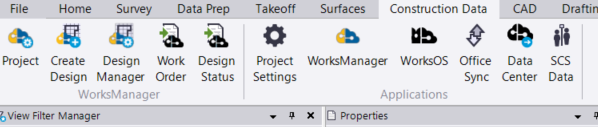
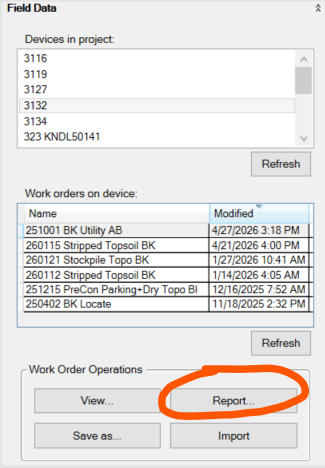
On occassion, I use the “Report” function found in Work Order. Excel always crashes when I try it, but it didn’t used to be like that. Wondering if anyone has work arounds for this?
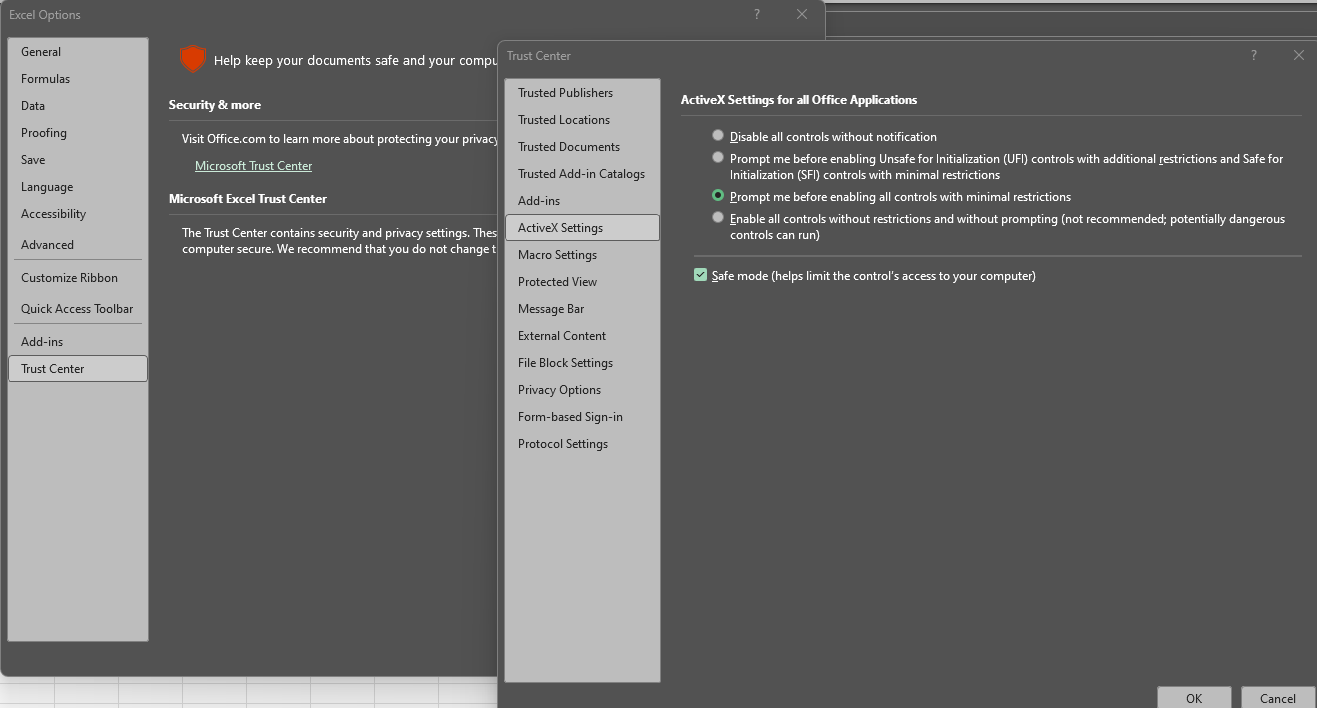
In Excel, Go to Options/ Trust Center/ Active X Settings and change the setting to prompt me before enabling with minimal restrictions. This worked for me. I hope it works for you.
Life is good. Thanks David!

Riley,
My question is, before this issue arrived in my world, excel ran the report just fine. Then one day it didn’t. Before this issue, I did not even know active x controls existed so how did they change to begin with?
Probably a Windows / Microsoft Update - I am forever having to track down issues on computers caused by a Windows / Microsoft update where the new update changes some checkbox buried 10 layers deep, behind some obscure set of labels and tabs that you have no idea what any of them really do ….
I avoid settings like the plague until I really need to solve an issue, and then the adventures really begin, and other computer issues start to materialize, but you then cannot recall which changes you made to fix an issue, only to find that another issue appeared as a result
I am sure I am not the only person in the world that feels this way.
Alan
1 Like