Smart Takeoff Command

Command Licensing and Default Menu Location
- The Smart Takeoff Command is licensed to the Smart Suite Command Library Only
- The command is located on the Smart Suite menu ribbon
- The command is located in the Takeoff menu group on the Smart Suite Menu
Command Description
The Smart takeoff Command is a complete Work Process tool that executes all steps required to carry out a site or highways Takeoff. The command uses a new feature based approach and incorporates steps for the following in a single seamless workflow.
- Build your Existing Ground Surface
- Apply Topsoil Stripping and Replacement
- Apply Existing Feature Demolition
- Define Strata and Add Boring Logs to Build Strata Surfaces
- Build Your Finished Design Surface
- Apply Subgrade Adjustments and Remove Topsoil in Landscaping Areas Using Smart Features
- Compute Overexcavation
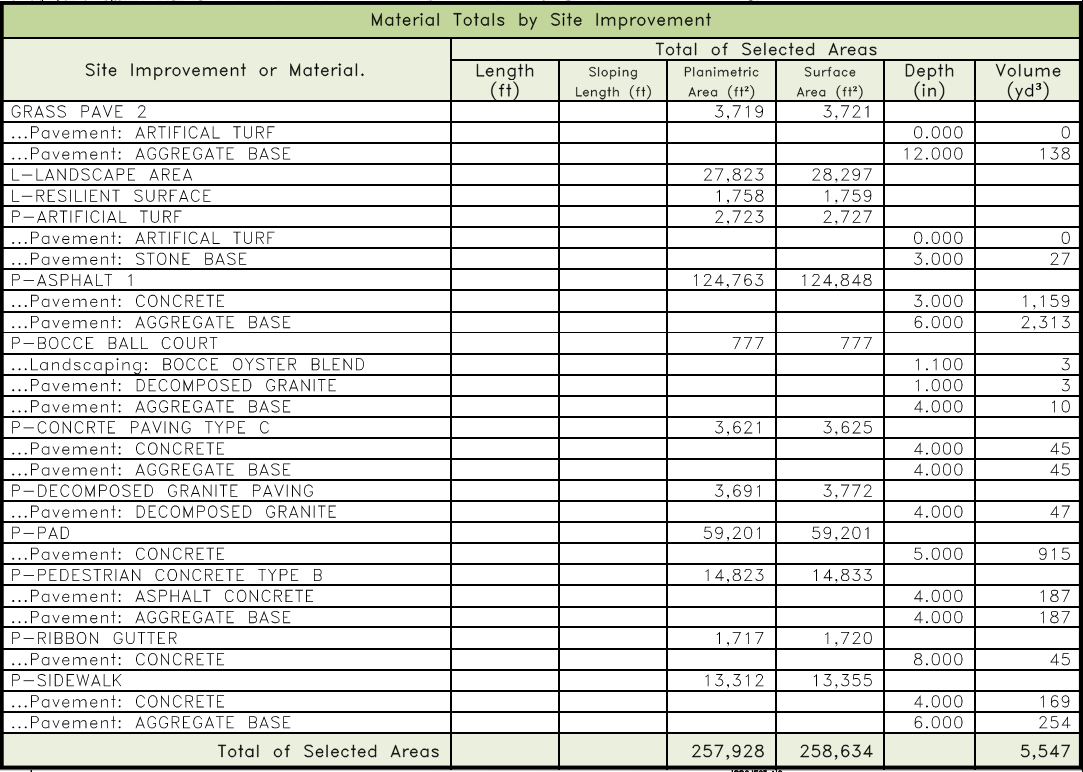
- Compute The Earthworks, Demolition, Topsoil Stripping, Topsoil Replacement, Subgrade Materials and Overexcavation to Generate The Final Takeoff Report
- Add A Cut Fill Map To The Reports
- Review The Final Earthwork Reports
- Produce A Final PDF Deliverable Using Smart Plot
Command History
Version 1 released in Dec 2025 (v2026.1 RPS Command Library)
Version 2 released in May 2026 (v2026.2 RPS Command Library)
New features included
- Building Existing and Design surfaces using Layer Group methods
- Defining Strata, adding Boring Logs and building Strata Surfaces
- Overexcavation using 4 methods
- Enhanced subgrade adjusted surface modeling
- Enhanced Earthworks and other related reports
- Integration with Smart Model to build Cut Fill Maps
- Integration with Smart Plot for producing final drawing deliverables
Video Demonstration
The following video shows you how to use the Smart Takeoff command from start to finish
The following video shows how to utilize the Smart Takeoff command in conjunction with the Smart Plot Command for the production of final deliverables.
Command Interface Description
The Smart Takeoff command dialog looks as follows
To Be Completed - see video for details
Existing Ground Workflows
Finished Grade Workflows
Overexcavation Workflows
Earthwork Report Generation
Reviewing Report Quantities
Smart Switch
The Switch cmd button provides Smart Switch functionality. Smart Switch provides a list of currently running Smart Suite commands, and allows you to switch commands rather than closing commands in order to open another command. The Smart Switch function can also be triggered using the ESC key whiule running most RPS Smart Suite commands, the ESC key will open the Smart Switch command list right next to the current cursor position on screen.
Smart Switch also provides the ability to close the current command or all commands if necessary.
Command Tips
Header Bar Commands
The header bar of the Smart Takeoff command provides fast access to the most commonly used RPS commands that you wiull find helpful while running the Smart Takeoff command. The commands incliude the following
- RPS Help
- RPS Settings
- PDF Manager
- CAD Cleanup
- Smart Select
- Smart Draw
- Smart Edit
- Smart Elevate
- Smartt Feature
- Smart Profile
- Smart Model
- Volumes Manager
- Smart Plot
The command icons will either start the command if it is not already running, or switch to the command if it is running in background.
Use Case Videos
The following videos show the use of the Smart Takeoff command in a work process context
Feedback and Enhancement Requests
If you would like to provide feedback on the use of the Smart Takeoff command or to request enhancements or improvements to the command please click Reply below.