RPS Community,
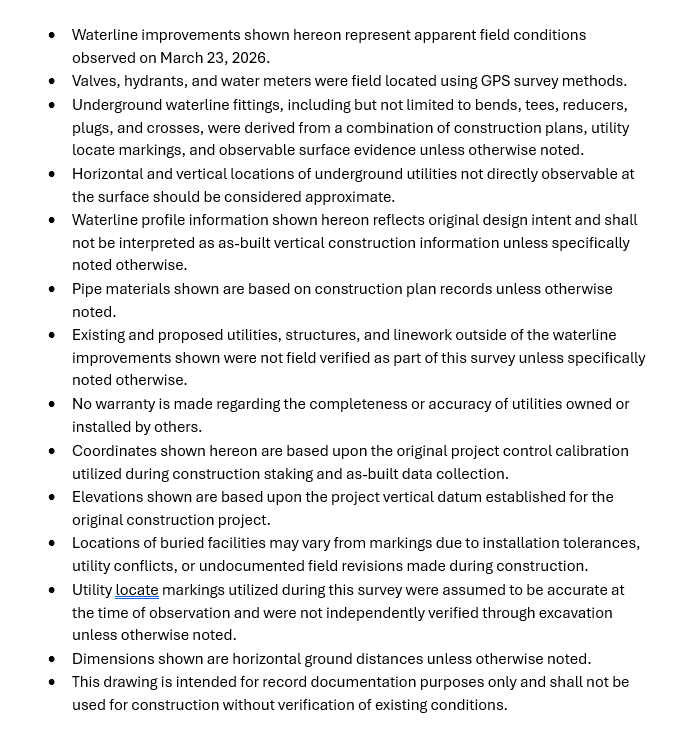
Is there a good way to paste text into TBC that will allow you to manipulate the text box with? I have a list of bulleted notes that I used smart Paste to insert, but I would like to control the overall width of the text box.
RPS Community,
Is there a good way to paste text into TBC that will allow you to manipulate the text box with? I have a list of bulleted notes that I used smart Paste to insert, but I would like to control the overall width of the text box.
Do you mean a single block of text, or text in multiple cells of a table eg from Excel? Can you provide a screen grab of the text that you are trying to place.
If from Excel I use CTRL C in Excel to copy a range of cells to the clipboard. In RPS Paste when you place that you get two choices - Image or Text. The image has all of the content and formats as an image that can be placed and sized on your drawing. Text is more problematic - the text is all there but the text is not formatted in any way that TBC can make a table out of it - we woulkd need to write some dedicated code to be able to do that. I will have ione of my team look at that as a problem to solve.
Alan
In this particular case, I have a bulleted list in word. Just as-built notes that I would like to include. I have been adding them through bluebeam after the fact.
Dave
TBC doesnt understand Text that includes Bullets or Numbering at this time, so it doesnt have any formats that allow you to create exactly what you are looking for. This is the best I can do in TBC at this time
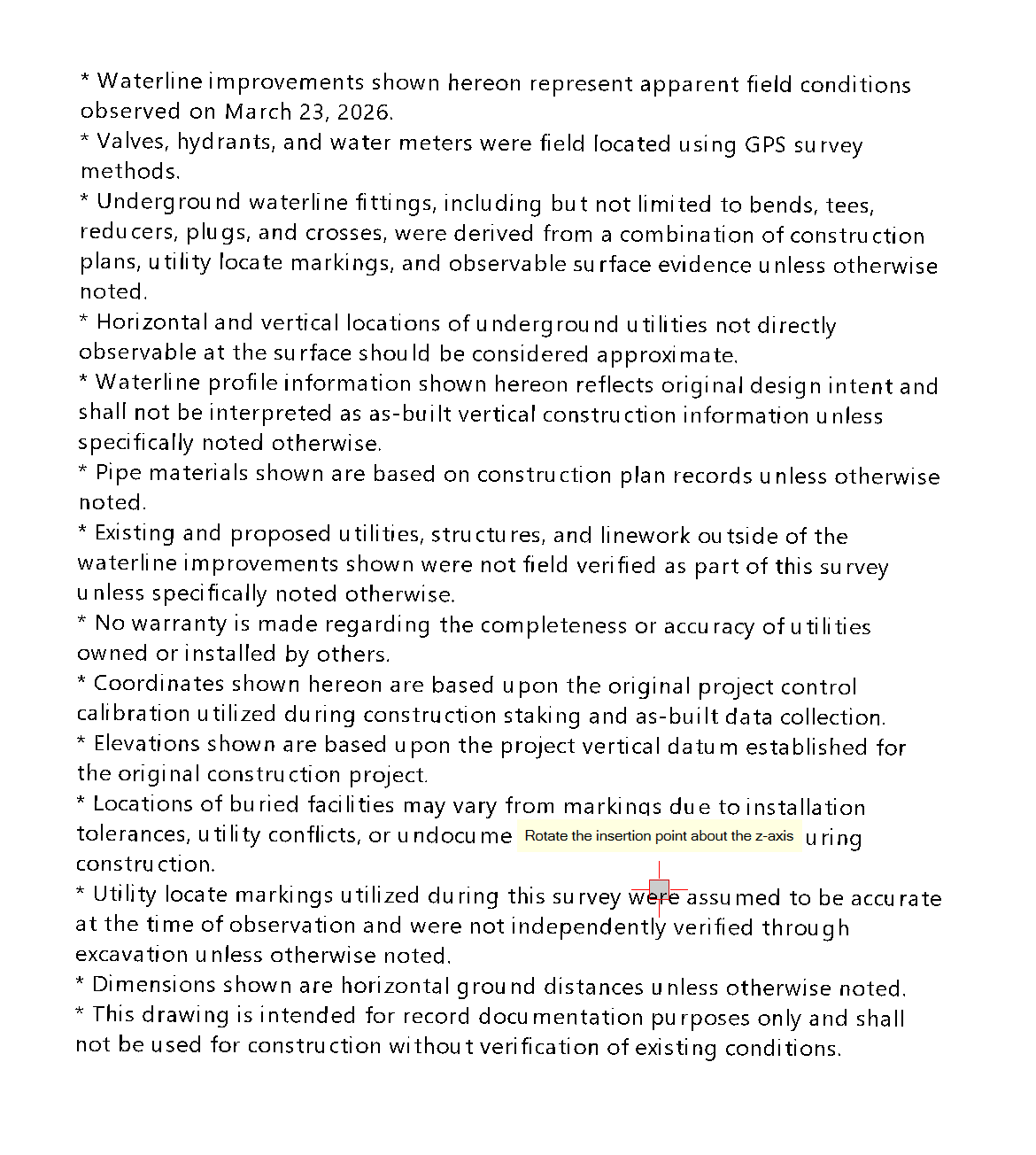
I replaced the Bullets with an * and then the text can be suiized and wrapped - it kind of looks like Bullets but it doesnt understand the Tab Spacings of the text so you dont get the alignment like you do in a doc. The alternative is to copy and paste as an Image rather than as Text.
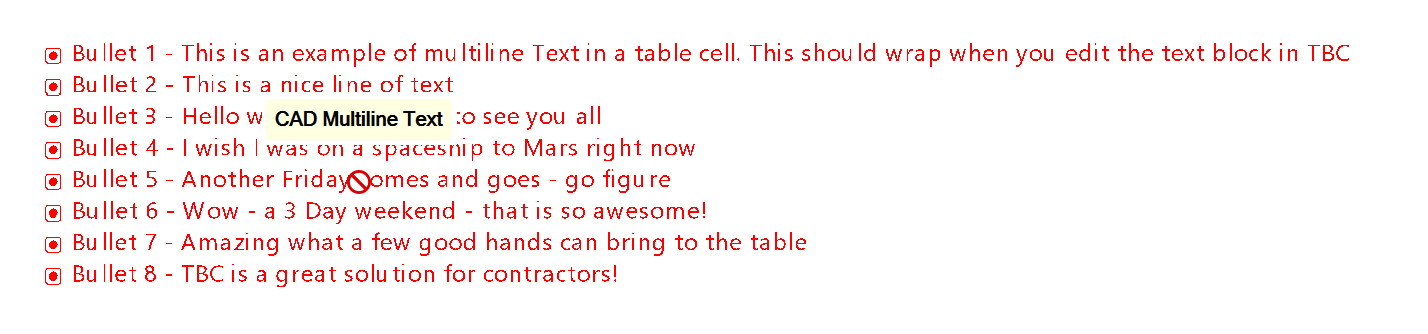
I used Smart Pane Spreadsheet to create this one below that looks OK provided you dont try to resize the window and wrap the text, but if the text lines need to wrap it squidges the symbols - I used Segoe UI as the font for this in the Spreadsheet in Smart pane, used the symbol of the same font in Col 1 and the text in Col 2 and then copied the data cells to clipboard and used RPS Paste to place the text and it gets closer to what you wanted - it may help
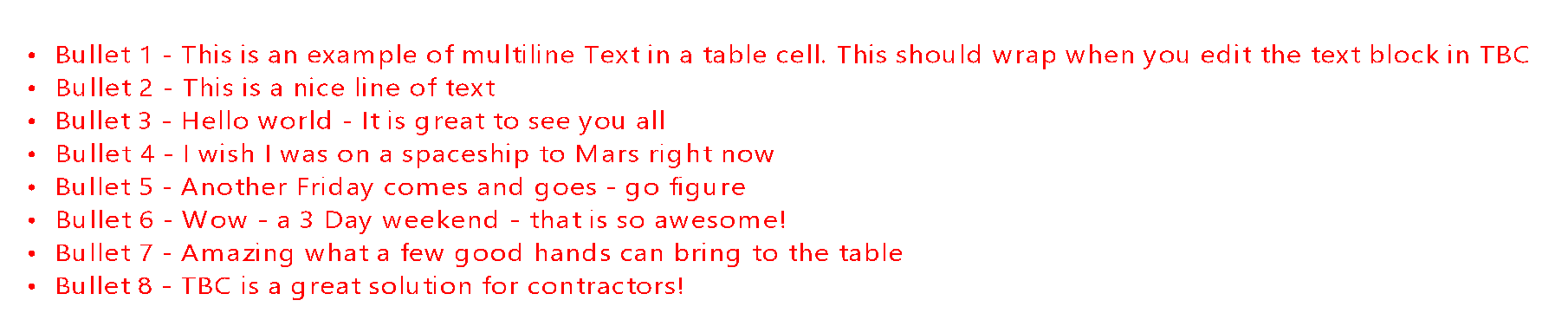
This one was done using the same fgont but a different symbol character that doesnt seem to squidge in the aame way as the one above when you use the Grip Edits in TBC
I will see if we can do anything else as a work around in Smart Label going forwards here - TBVC just doesnt lend itself to doing this really well, but for some things these methods may help you.