Hi,
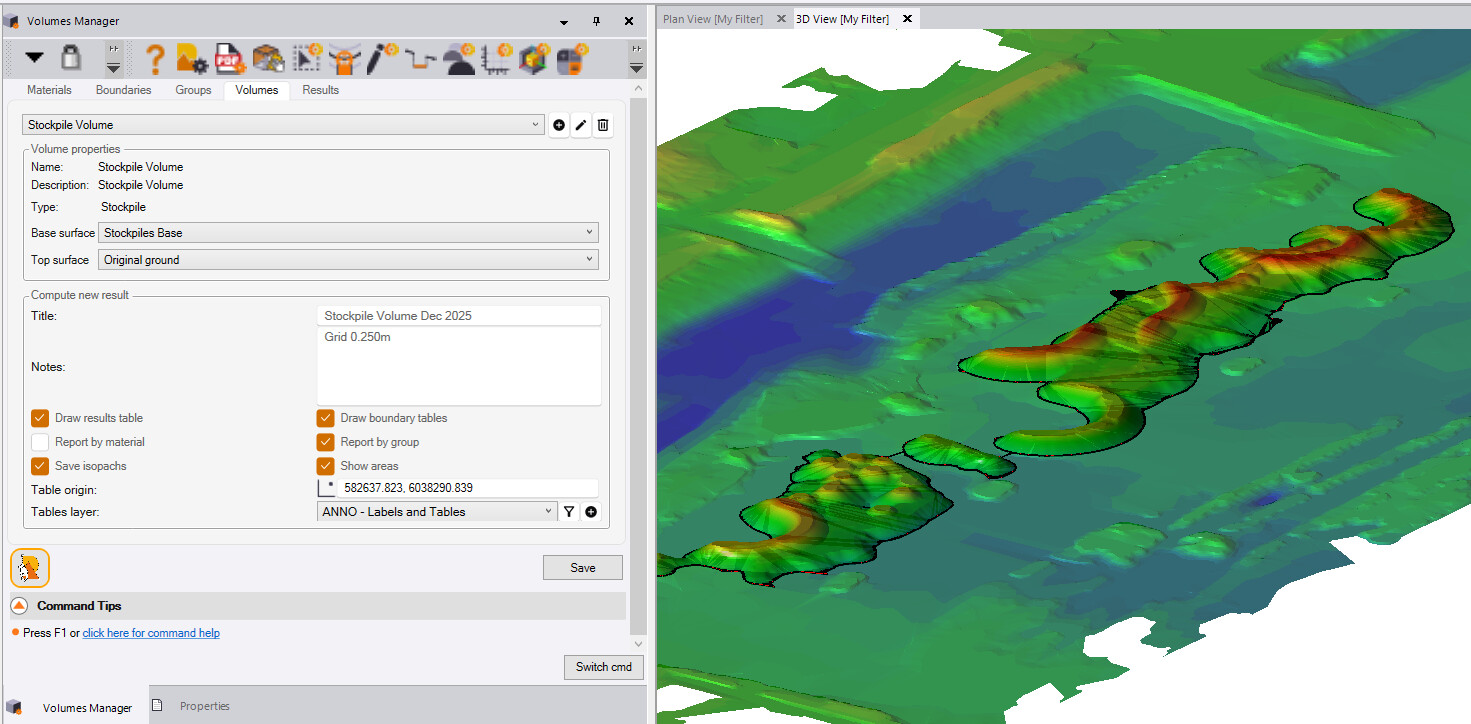
I am trying to run a stockpile calculation with Volumes Manager, but I do not have the button to execute the command within the volumes tab. “Compute New Result” or “Refresh Reports and Tables”.
Is there something i am missing?
Hey James,
I have the same issue with a couple of commands, and judging by the aspect ratio of your screenshot, I believe the reason is a wide-screen monitor. When I switched displays (my laptop) it worked fine. Maybe the latest UI update caused an unintended issue.
GW
I’ve noticed several tools like this since the update. You need to go into your display settings and change your scale and layout percentage to 100%.
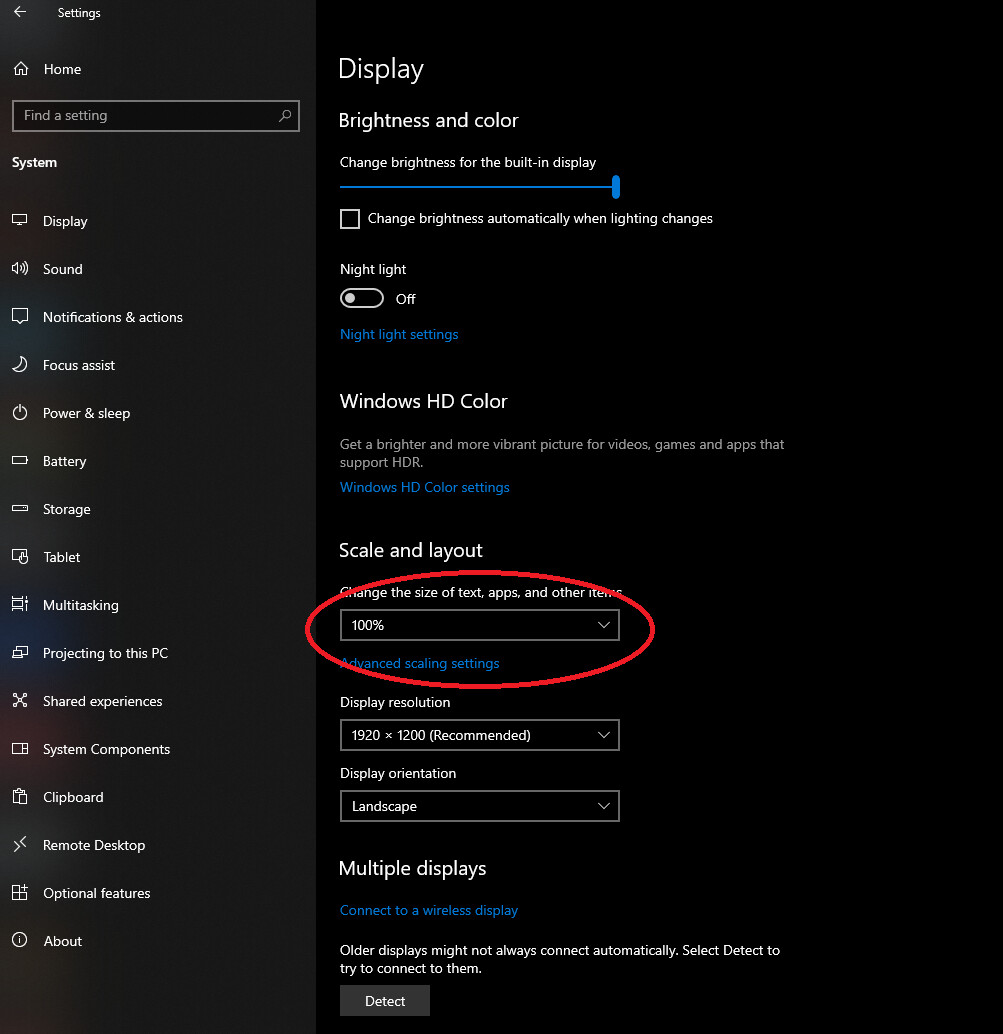
Thank you for steering me in the right direction. I have fixed my screen res and managed to execute the command.
Cheers,
We had a few issues with 1080 vertical resolution monitors - we have fixed all the ones we knew about in 2026.2 and we just came across one last week in CAD Cleanup that has now been addressed and will be patched shortly.
Fixes temporarily if you get this
-
set your menu to auto collapse so it takes no real estate - that gives you about 3/4 inch back that can clear the problem so you can run the command
-
run on a larger vertical resolution monitor
-
change your text scaling to 100% or less than you currently have it at if above 100%.
-
reduce the size of icons on the quick access toolbar using support options
-
change the size of custom Toolbars using RPS Toolbar Manager or dock horizontal Toolbars on the left or right side of the screen to get some vertical real estate back
-
buy a better resolution monitor - 1080 is the lowest vertical spec and you are pushing the limits of TBC and will have to contend with dialog scroll bars when working that low - I would move up to 2160 minimum if at all.possible but you want to be at 27” or higher screen size to do that. Go even higher if you can eg a 42” wide-screen running 5120 x 2160 is pretty awesome - that is what I use.
Alan
If you find any in 2026.2 in any command running at 1080 let me know we will fix them.if we find them.
Alan