We have had several people reach out with an error that comes up after installing TBC v 2025.1
This is a solution that has worked for several people if you are getting the following error.
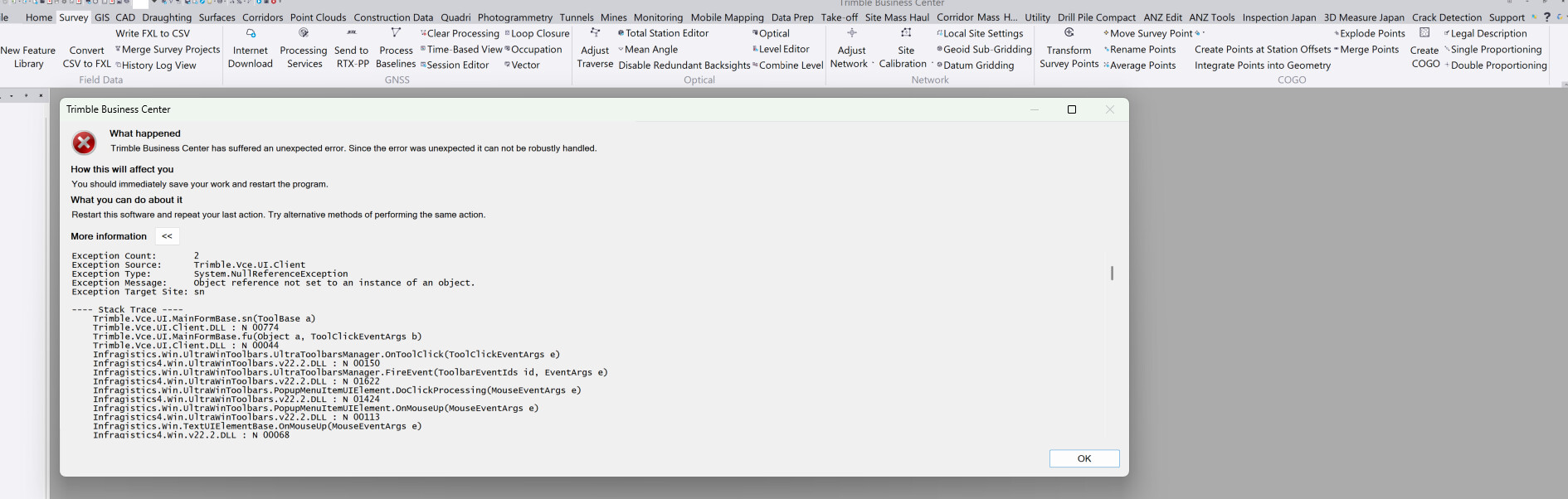
The errors that you are seeing look like they are all TBC Menus and Toolbars related - so while starting up it seems that it failed to load some component(s) correctly or that something was corrupted as you closed out the previous time.
If you go to the folder where your Project Templates are stored - mine is e.g. at this location if you are not sure and this is the default location
C:\Users\Alan Sharp\AppData\Roaming\Trimble\Trimble Business Center\43.0
So your path will be slightly different (Alan Sharp will not be yours), and 43 is for TBC 2025.x, i you are running an older version it will b 42, 41 etc. (the highest number is the newest version).
In that folder you should find files with these names
SurveyRibbon64.Layout
SurveyRibbon64.Layoutd
These are the last version of the Menu Layout and Toolbar layout that you saved on exiting TBC - try deleting these two files and then start TBC again - I think this may fix your issue.
I had someone else a short while back have a similar issue - I will try and recall who that was and he found a solution that worked for him (the issue may have been different but he had a similar problem starting up and opening a project) and see if I can find their email that told me what they did to fix their issue.
I don’t believe this issue has anything to do with RPS Tools, however if you ant to try deleting them and later reinstall when you get things working you can do the following
Go to this folder on your computer
C:\ProgramData\Trimble\MacroCommands3
Select the RockpileSolutions folder only - the other elements are installed by TBC itself
Delete it
Start TBC
Based on the errors that you are seeing, the only tools that we have that could have anything to do with the issue being reported are our Toolbar Manager and the Menu Manager commands - in the RPS Settings folder you will find .rps files for Toolbar Manager (Toolbars.rps), and Shortcuts Manager (ShortcutDefinitions.rps) (there is no rps setting file for Menu Manager), and you can try simply removing them from the Settings folder - they will get recreated when you run the command for the first time, and these only get read when the command runs so I am almost 100% certain these are not the source of your issues.
Alan