Recently when I have been doing cross sections, the background of the sheet view is white. I import my PDFs as a sheet, open sheet view so I can sort linework to to use the “create from cad” to get my XS lines. This sheet view background used to be black, and “Toggle Background Color” only changes plan view and not sheet view. I believe the most recent TBC update made this change for plotting purposes, but I rarely plot and mostly work cross sections in sheet view. Is there any way to get a black background back for the sheet views? Any help would be appreciated as the full white screen is difficult to look at.
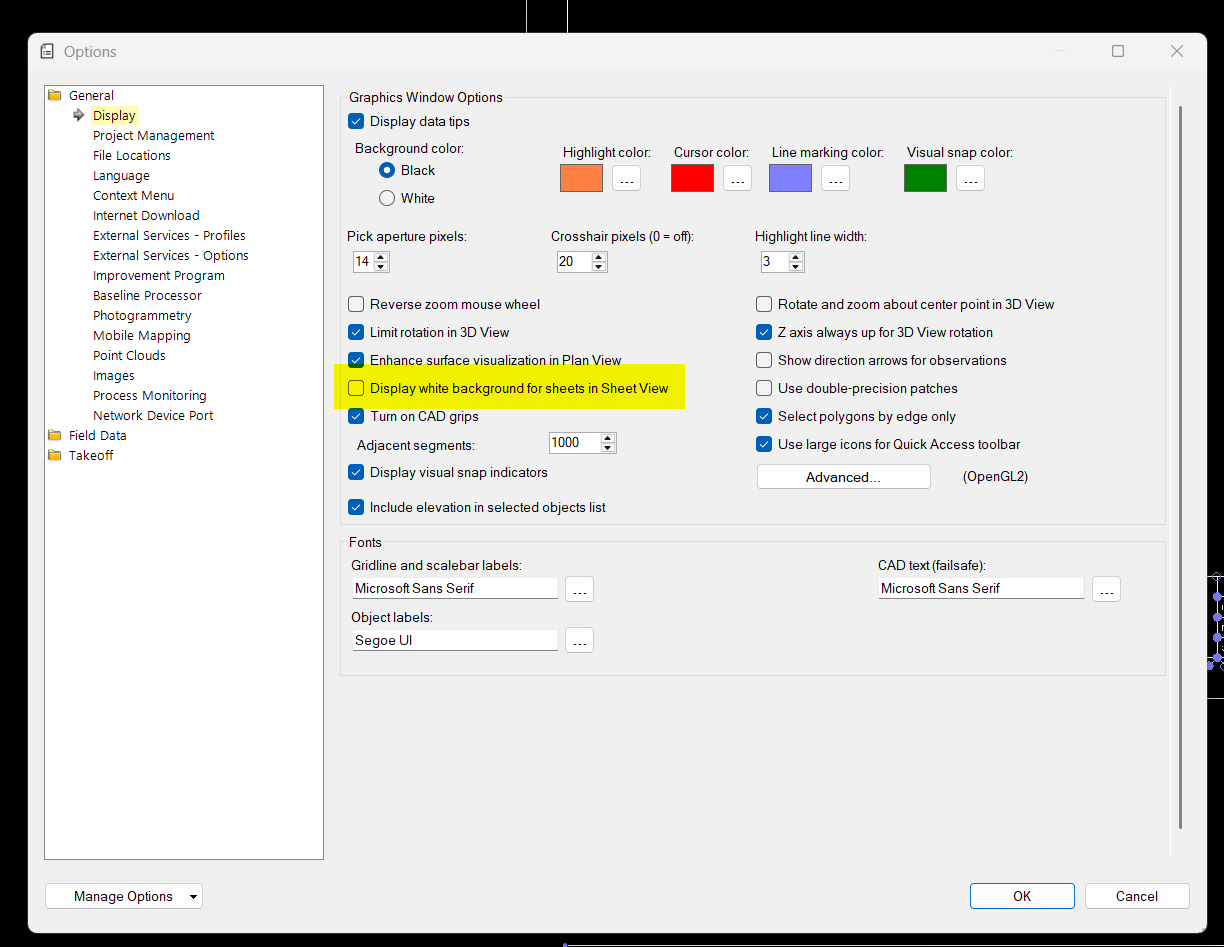
In Support - Optionms there is a check box that says
Display white background for sheets in sheet view
If you uncheck that checkbox you will have a Black Background.
Alan
2 Likes
As always…you are the best Alan! Thanks so much, can’t believe I couldn’t find that before. Much appreciated.
No problem - time to get honest here - I stumbled across it a few days ago also!
Always something new to learn!
Alan
Do you have a walkthrough to use create from cad using pdf’s?
I always use digitize pdfs to get the cross section lines.
Look at the TBC Work Processes - TBC Corridor Section Takeoff section of this community site. There are a lot of videos out there that show how to use this command.
In today’s release of the command library v2026.2 we are provideing a new waty to do Cross Section takeoff using RPS Smart Feature - more will be coming soon on that also ….
If you need help or assistance let me know - we are here to help you - maybe share a set of section sheets for one of your jobs and we can record a video on e.g. the first 10 sheets to assist you in your learning - send them to me durectly’
Alan