Are there any good videos of the QA Notebook Command?
I just posted 2 videos out there for ypou at this link - I alrerady had the first video done - it was just never posted, the second one is a little updated for interaction with Smart Scene
1 Like
Just under an hour of video was quite the response Alan!
You keep mentioning this Smart Scene and you’ve peaked my interest.
Good to hear that Erik - Smart Scene for sure deserves a lot of interest, it is a mammoth change to the way you will be working in a couple of weeks time here. I am wrestling team holidays right now to get this monster out of the closet, but it is a truly amazing tool
Here is just a few of the things that this baby does
- Layer and Layer Group Visibility Management
- Surface and Surface Group Managemen
- PDF Page / Georeferenced Image Management
- Point Cloud Scxan and Region Management
- Reviewing and sorting imported CAD data is so fast and easy
- Changing properties of Layers, Surfaces, PDF Images, Point Clouds is a snip
- Jumping between Scenes that shorten lists of Layers, Surfaces, PDFs, Point Clouds and still give you abiloity to turn items on / off within a scene
- Fire off any related commands to Layers, Surfaces, Point Clouds, PDF / Images
- Override Lineweights and Colors in a single click
- Set selectability flags on one or more layers in a single click
- Turn Text On / Off or Points On / Off, or Linework On / Off or Blocks / Hatches On /. Off in a single click
- Jump between unlimited scenes in a single click
- Combine scenes to create composite views
- Auto Add newly created data to scenes based on naming conventions that you control
- Group Selecvt and change properties of multiple elements in one step
- Invert selections inside a group or across all groups in a single click
- Create multiple “:Defined Views” within a scene that controls location and visibility of scene Elements, allows you to jump quickly between defined views, set status and changes to status to track issues
- Create project specific scenes or global scenes that can be used in any project
- Search and filter lists and the graphics based on the results of a search eg find all layers with STRM or STORM or STM to create a Storm Sewer Scene, SSWR or SAN or Sanitary for Sanitary Sewer or WATER or WATR or WAT in the name fpor Water or ROAD or PVMT or Pavement etc for Roads to extremely quickly decode engineers CAD file content.
- Compare Scenes / Revisions to identify what has changed betyween revisions, Changes, Additions and removals are easy to spot with Scene Compare.
The list is way longer than this, but speed, efficiency and productivity is what this tool is all about, it is an amazing addition to RPS Smart Suite!
I have nothing better to do with my time buddy!
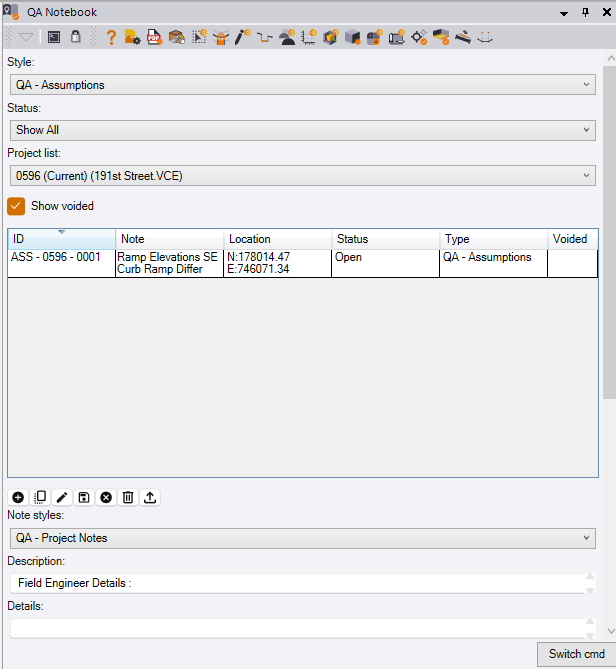
Tbat is a hard coded reference to the project so it cannot be changed, it links thr note to the project.
Alan