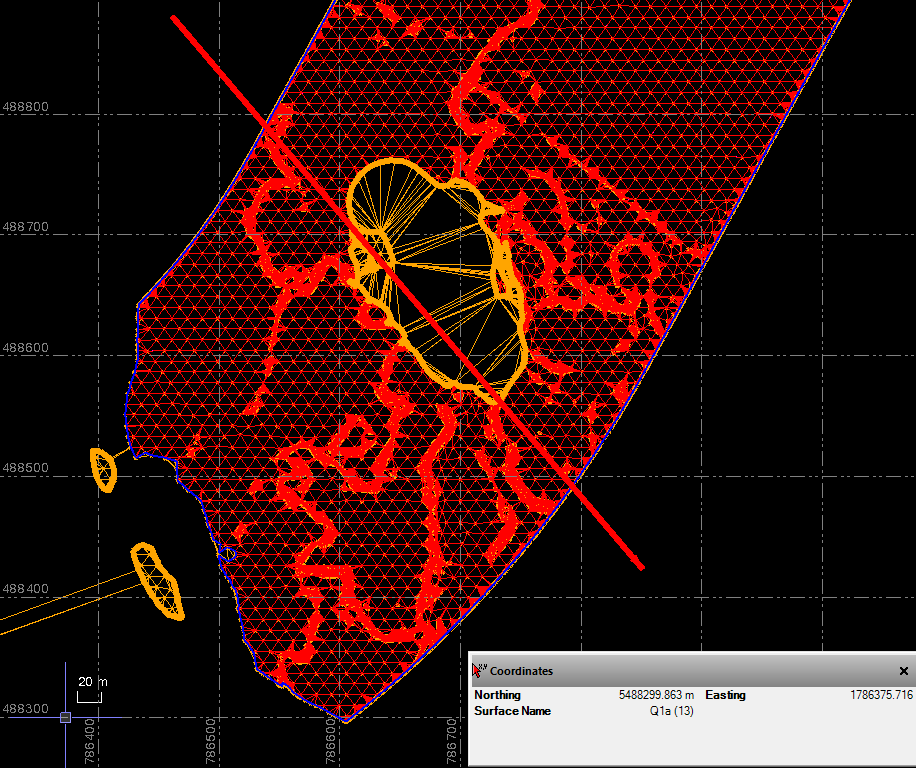
I’ve recieved a series of LeapFrog (GeoTechnical) models in DXF format - they’re big files so I’ve imported into GlobalMapper v26 and then exported as LandXMLs,
These Models have “islands” inside and I’m trying to combine them by “Combine Surfaces” it just won’t recognise internal boundarys when combining (but does when individual surfaces)
Any suggestions please?
just thinking real quick. export as a 3d DXF and reimport. generate surface from the 3d faces.
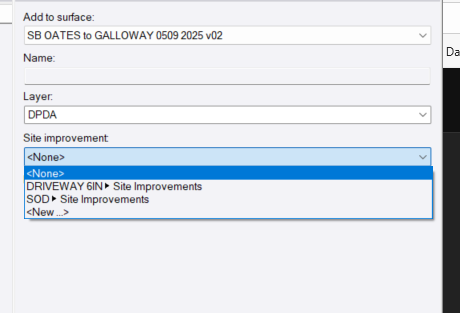
another way would be to drop a site improvement. The SI doesnt need to have a material. just select none and name it usually how its been named is NULL.
Thankyou Francisco - turns out I also had a corrupted XML / DXF Surface for one of the surfaces which was (hopefully) the issue - being recreated by GeoTech now
Combine surfaces was designed to create a single surface from multiple discrete surfaces that are not overlapping. If one of your surfaces contains multiple bounded discrete areas already (what I read in your post as Internal Surface Boundariesl) then this was never a tested scenario for the command. I would make those into individual surfaces Nd then combine them rather than trying to combine what you have.
The alternative is if you have boundaries around the other areas of surfaces you could add those to that surface and then add their boundaries as surface boundaries to build what you need.
The problem with the multiple island surface is that under the hood that surface still gas all the triangles- they are just blanked out using the island boundaries, but when you combine the surfaces those need to be handled and that was not part of the defined workflow.