All,
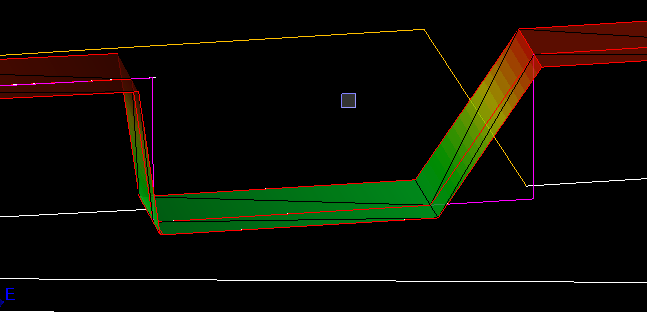
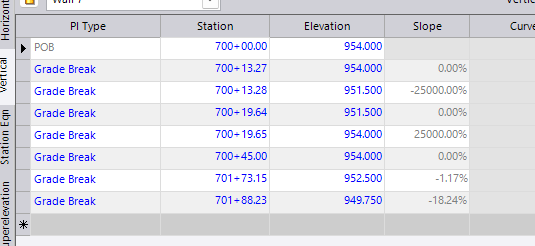
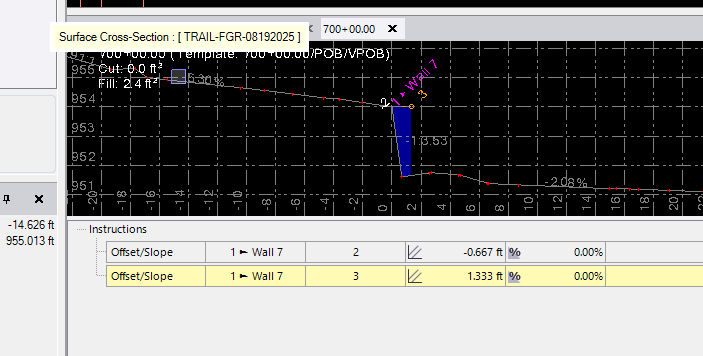
What causes this crap? I have an Alignment with a Profile. The Purple Line is the Profile, but my model does not follow it? Its a simple Profile Following the Top of a Wall. This area is a void for stairs. I believe the screenshots show everything. I currently have corridor max sample set to 5’.
Thanks in Advance,
Dave
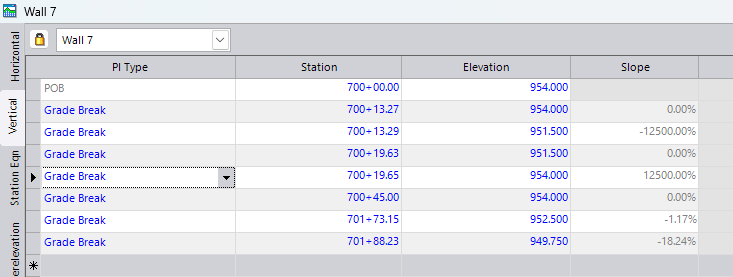
Changing the gap from 0.01’ to .02’ Fixed it, But I am still curious why.
Looks like they are vertical lines, TBC dose not handle vertical faces very well, I’m assuming if you had flags on you’d see it flags the surface.
Reference templates before and after drastic changes like a vertical or horizontal shift like this can help with graphics and also with the export of the model
2 Likes
as Charlson mentioned. Stop the template before the drop and then start a new template for the drop. Will do another template after the drop. Should be able to also just make a table with that station instead of the templates.
1 Like
This seems like common sense, I struggle with that at times.
It is all down to inbuilt tolerances that TBC applies to corridor and sideslope models to handle vertical steps like these and also horizontal jogs in corridor models. It doesn’t apply these automatically so you have to know what gap to use when you build step footings, step top of walls, or horizontal jog outs / ins. I have covered this in posts previously, here are some links to review
https://community.myrockpile.com/t/tolerances-for-verticality/698